內部odoo知識庫
Completed
Click on the "Edit" button in the top corner of the screen to edit your slide content.
使用情境說明:
當客戶口頭或書面確認接受報價內容後,即可將報價單轉為正式銷售訂單,作為後續出貨、開立發票的依據。
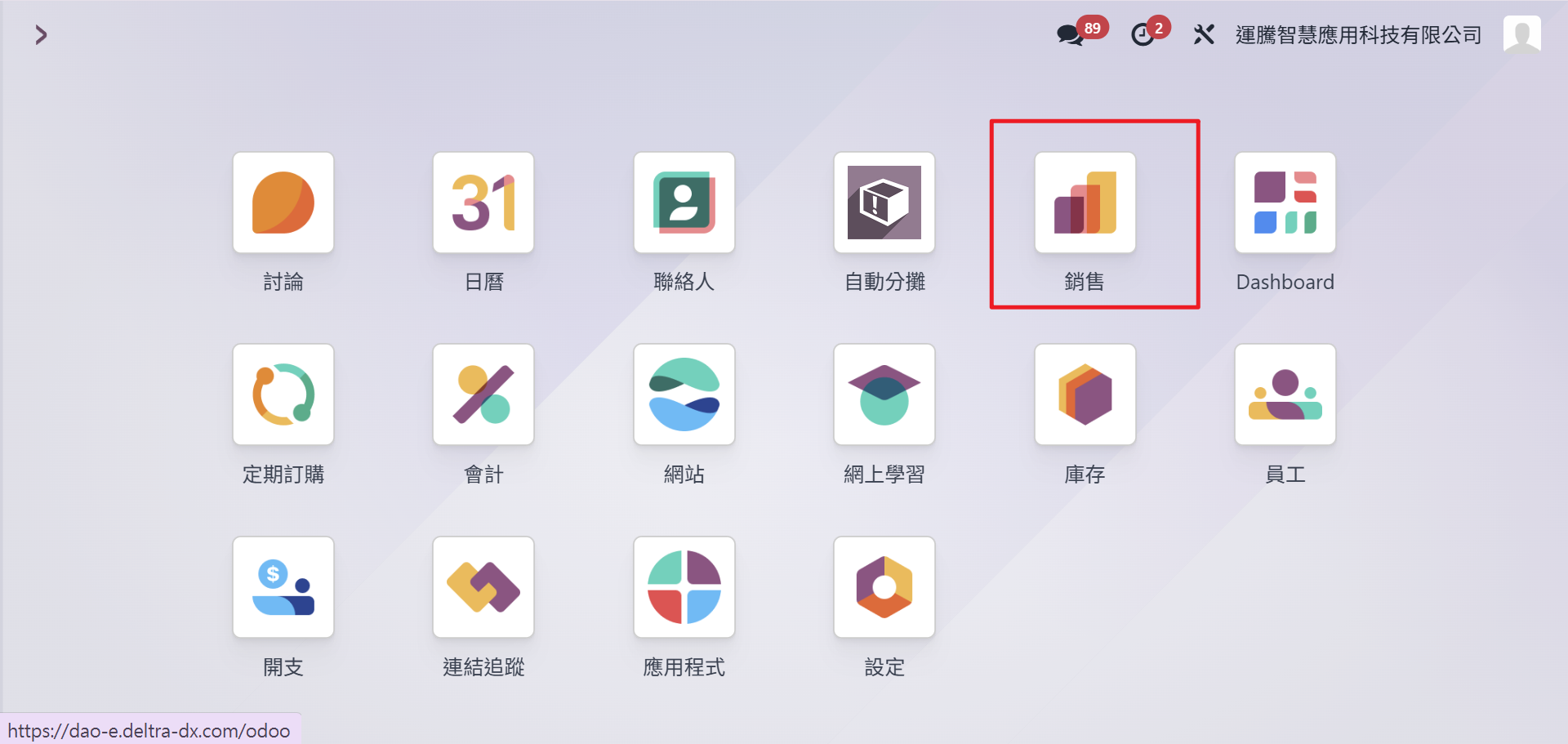
Step1:點選銷售模組。
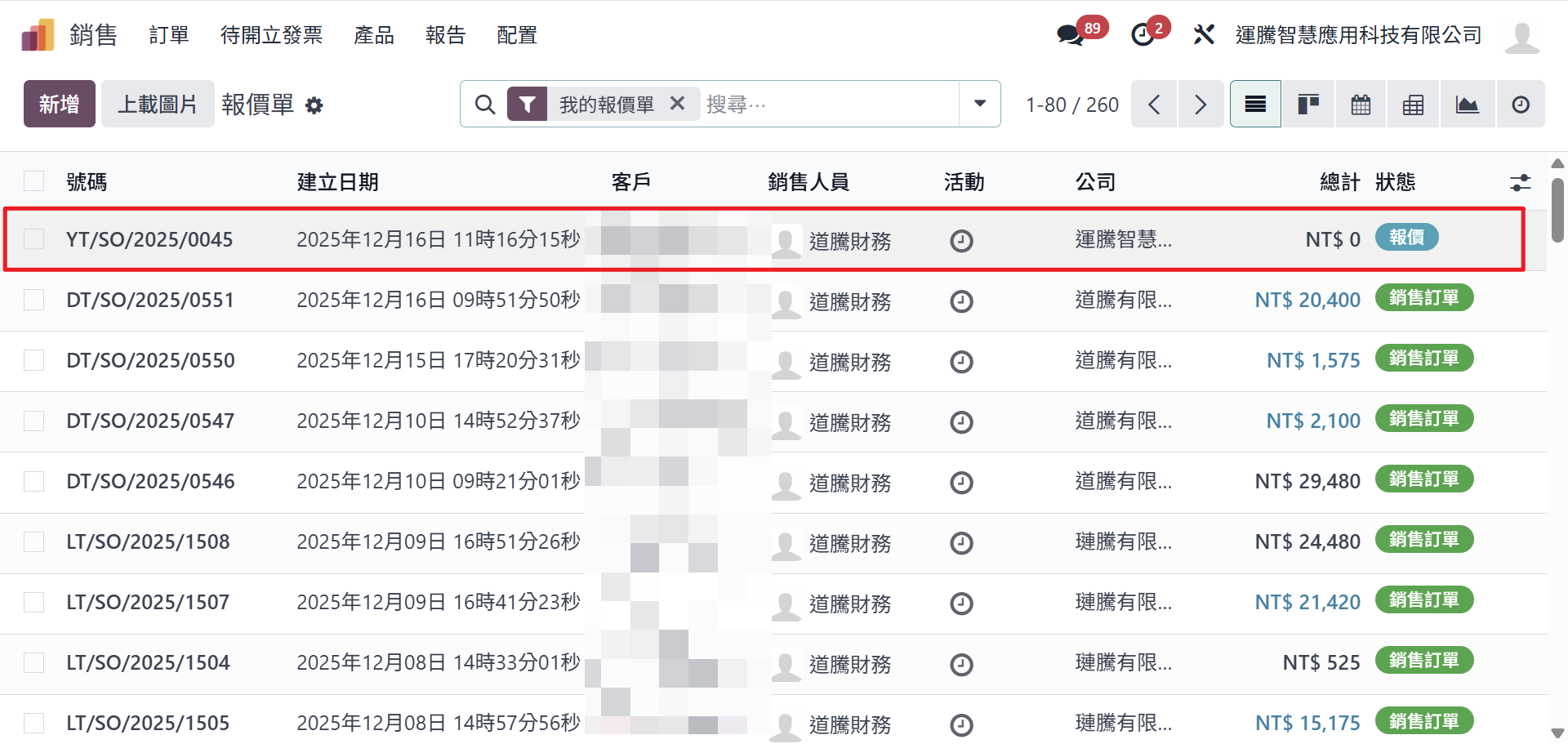
Step2:點選一張欲轉成訂單的報價單。
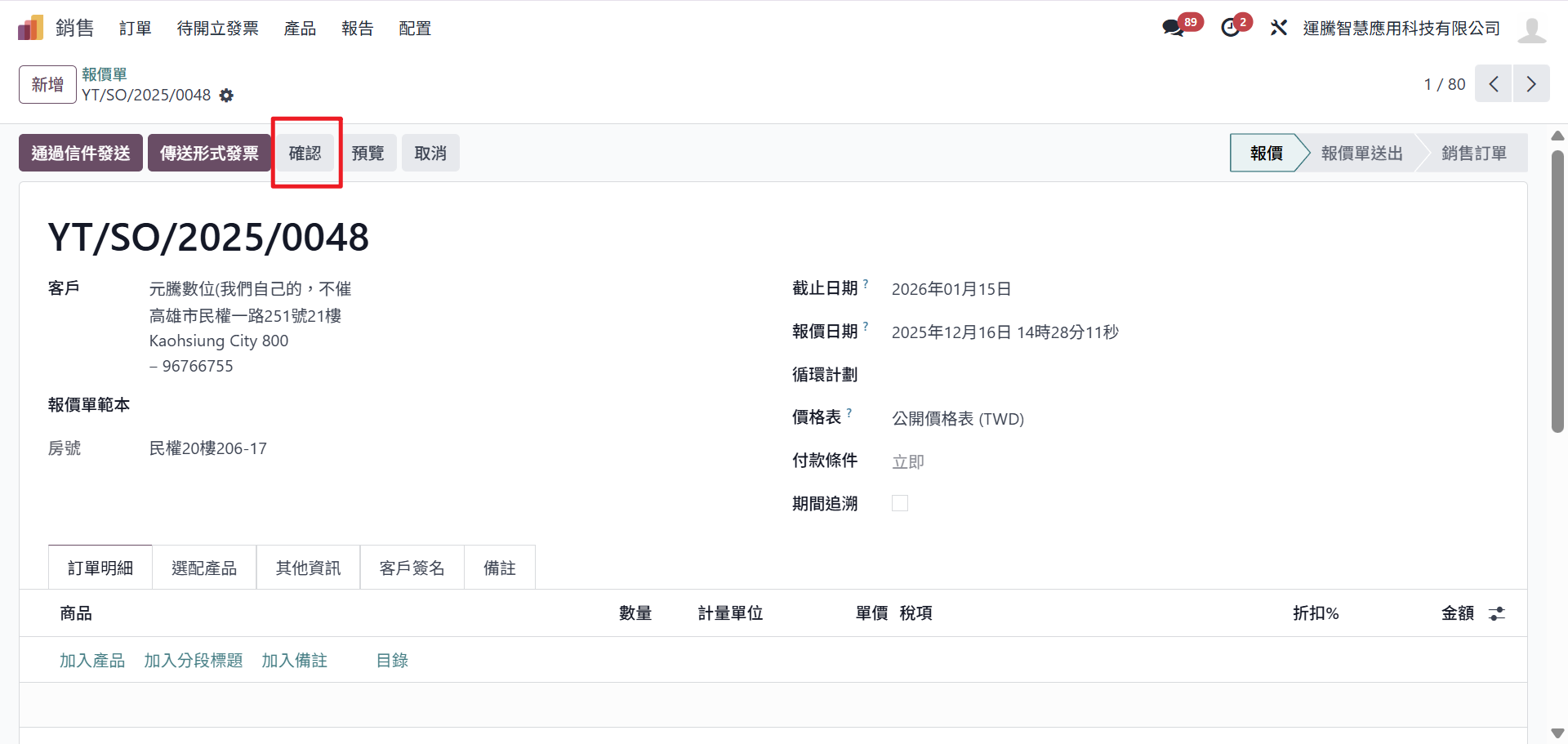
Step3:若資訊無誤的話,點選確認。系統則會轉成銷售訂單。
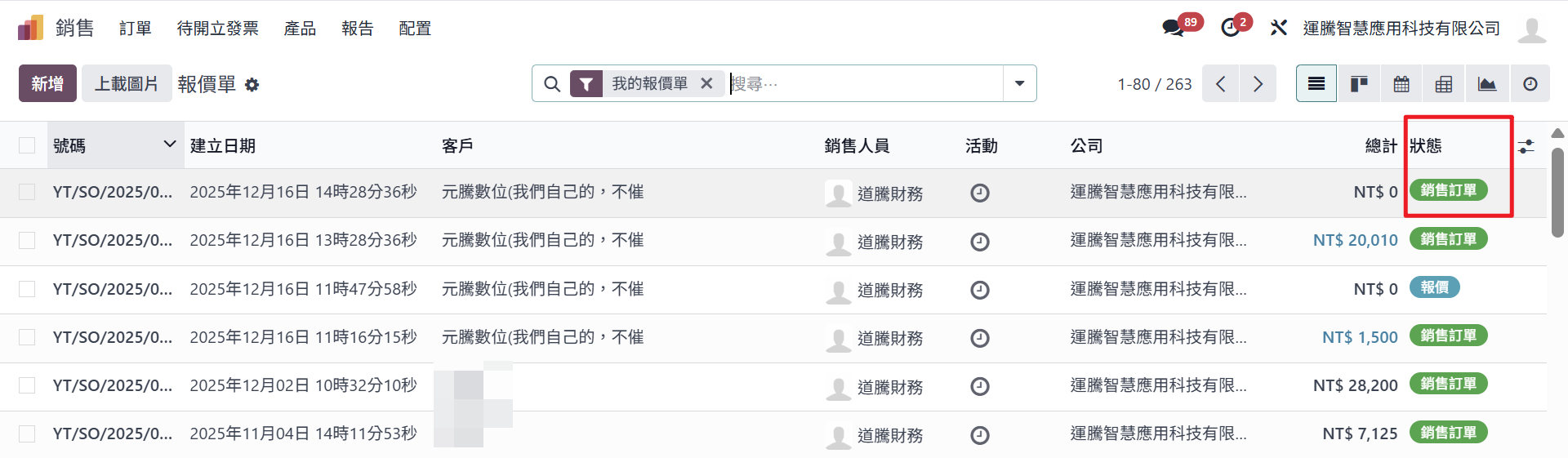
此時報價單狀態從「報價」➙ 轉為「銷售訂單」。
注意事項
確認後不建議直接修改金額
若內容有誤,建議:
取消訂單後重開
或依公司流程處理折讓 / 追加訂單
Rating
0
0
There are no comments for now.
Join this Course
to be the first to leave a comment.